Sell Products on Telegram with Secure Card Payments in Valencia.
🤖 Custom Telegram Bot
We create a custom bot for your business, with product catalog and shopping cart.
💳 Secure Card Payments
We integrate Stripe or PayPal so your customers can pay with card without leaving Telegram.
🔒 SSL Security and Encryption
All transactions are protected with end-to-end encryption and comply with PCI DSS.
📈 Sales Increase
Customers buy directly from Telegram, reducing friction and increasing conversion.
Learn how to configure card payments on Telegram securely and increase your sales.
Telegram has become a direct sales channel thanks to its bots and integrated payments. With tools like Stripe you can accept credit cards securely. At SEO7.ES we explain how to do it step by step.
We create a custom bot for your business, with product catalog and shopping cart.
💳 Secure Card Payments
We integrate Stripe or PayPal so your customers can pay with card without leaving Telegram.
🔒 SSL Security and Encryption
All transactions are protected with end-to-end encryption and comply with PCI DSS.
📈 Sales Increase
Customers buy directly from Telegram, reducing friction and increasing conversion.
Quick answer
To sell products on Telegram with secure card payments you need a Telegram bot and a payment provider like Stripe. Create the bot with @BotFather, integrate the Telegram Payments API and set Stripe as the provider. Payments are processed inside the chat, with full security. In Valencia, clothing stores and services already use it. With experts like SEO7.ES, the process takes 24-48 hours.
In this article we show you how to sell products on Telegram with secure card payments, ideal for businesses in Valencia and all of Spain. We go from creating the bot to integrating payments with Stripe. We also talk about security, costs and real examples. If you have an online store or a service, Telegram can be your new sales channel. According to a Statista study, 60% of instant messaging users have bought through these apps. Ride the trend with a professional solution.
How to Create a Telegram Bot to Sell Products?
Steps to Configure Your Sales Bot
Creating a Telegram bot to sell products is easy if you follow these steps. Open Telegram and search for @BotFather, the official bot for creating bots. Send the /newbot command and follow the prompts: a name and a unique username. You get an API token, which connects the bot with the payment system. Configure the basic commands: /start, /catalog and /payment. The logic can be written in Python or Node.js. Integrate the Telegram Payments API (available since 2017) and choose a provider like Stripe. At the end, test transactions with test cards. With technical experience the whole process takes a few hours.
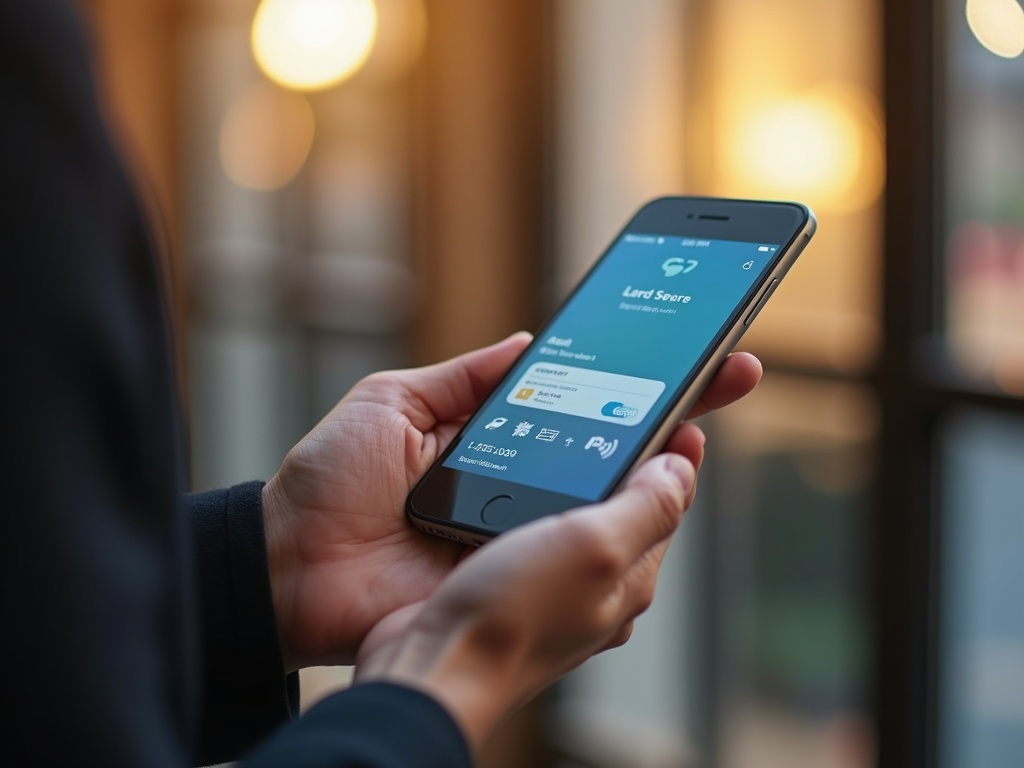
Example of a Telegram bot with card payment option.
1Open Telegram and search for @BotFather.
2Send /newbot and follow the instructions.
3Choose a name and username for your bot.
4Save the API token given by BotFather.
5Configure basic commands on your server.
6Integrate the Telegram Payments API.
7Connect with Stripe as payment provider.
8Test with test cards and launch.
Which Payment Providers Are Secure for Telegram?
Configuration of Stripe as payment provider in Telegram.
Comparison of Compatible Payment Gateways
Telegram Payments supports several providers, but the most secure and widely used are Stripe, PayPal and Sberbank (in Russia). For Spain, Stripe is the best option: it complies with PCI DSS, offers 3D Secure and integrates directly with the Telegram API. PayPal is secure too, but the user needs an account. According to Gartner, Stripe leads online payments for security and ease. All providers encrypt data and do not store card numbers on Telegram.
Provider
Security
Fees
Compatibility
Stripe
PCI DSS, 3D Secure
1.4% + €0.25
High: direct API
PayPal
SSL encryption, buyer protection
2.5% + €0.35
Medium: requires account
Sberbank
Russian standard
Variable
Low: Russia only
How to Integrate Card Payments on Telegram Step by Step?
Technical Guide for Integration
To take card payments on Telegram you have to connect the bot with the Telegram Payments API and a provider like Stripe. First, get your Stripe credentials (publishable key and secret key). Then, in the bot, use the createInvoiceLink method to generate a payment link. The user clicks, a chat with the Telegram Payments bot opens, and they complete the payment by card. Telegram takes care of the interface and security. Set up webhooks to receive payment notifications. According to the official Telegram documentation, the process is secure because card data never reaches the bot. A real example: businesses in Valencia like 'ModaExpress' sell t-shirts on Telegram with Stripe and have a 15% conversion rate.
Expert opinion
«Taking payment inside the chat removes the main drop off: leaving for another site. The fewer steps between deciding and paying, the fewer people change their mind.»
Evgenii Slepinin, Founder · Systems Architect · Lead Developer. Source
In Short: Sell on Telegram with Secure Payments.
Selling products on Telegram with secure card payments is possible thanks to the Telegram Payments API and providers like Stripe. The process: create a bot, integrate the payment gateway and set up security. In Valencia, businesses of every size already use it to sell more. The advantages: immediacy, security (PCI DSS) and little friction. The key steps: get the token from BotFather, connect Stripe and use createInvoiceLink. With SEO7.ES you have it ready in 24-48 hours. Do not put it off, the channel is worth it.
Business chatbots
Bots on WhatsApp, Telegram, Instagram and your site, from €290, paid once. They answer questions, book meetings and take payments around the clock, including while you sleep.
You pay once, and after that the bot runs with no monthly fee to us. Scripts come from your real conversations: we look at what customers ask most and automate exactly that. The bot lives in your own WhatsApp or Telegram account and the access stays with you. In Spain bot setup runs €300-3,000 and custom development starts at €3,000; our packages cost nearly half of the same work bought separately.
Your bot replies within 72 hours
SEO7 Start
from€290
A bot on WhatsApp and Telegram: answers common questions, advises and captures contacts. Handles up to 70% of routine enquiries. One payment, no subscription.
à la carte
€520
Discount
−€230
Timeline
72 hours
WhatsApp + basic FAQ bot
Scripts up to 10 questions
Lead alerts in Telegram
Top
A bot that sells and books
SEO7 Pro
from€890
A product catalogue, cart and Stripe/Redsys payments right inside the chat. Appointment booking with Google Calendar, CRM integration and GPT-4 for off-script questions.
à la carte
€1600
Discount
−€710
Timeline
7-10 days
Lead-gen bot + quiz
Admin bot with Calendly
Full CRM integration
Pro
Enterprise level
SEO7 Max
from€1990
Every channel, voice messages, subscriptions and white-label under your brand. ERP integration: stock and prices come from your own system.
à la carte
€3400
Discount
−€1410
Timeline
14-21 days
Shop bot with online payments
AI for free-form questions
All channels + Instagram Direct
Your bot replies within 72 hours
SEO7 Start
from€290
A bot on WhatsApp and Telegram: answers common questions, advises and captures contacts. Handles up to 70% of routine enquiries. One payment, no subscription.
à la carte
€520
Discount
−€230
Timeline
72 hours
WhatsApp + basic FAQ bot
Scripts up to 10 questions
Lead alerts in Telegram
Top
A bot that sells and books
SEO7 Pro
from€890
A product catalogue, cart and Stripe/Redsys payments right inside the chat. Appointment booking with Google Calendar, CRM integration and GPT-4 for off-script questions.
à la carte
€1600
Discount
−€710
Timeline
7-10 days
Lead-gen bot + quiz
Admin bot with Calendly
Full CRM integration
Pro
Enterprise level
SEO7 Max
from€1990
Every channel, voice messages, subscriptions and white-label under your brand. ERP integration: stock and prices come from your own system.
à la carte
€3400
Discount
−€1410
Timeline
14-21 days
Shop bot with online payments
AI for free-form questions
All channels + Instagram Direct
Shall we discuss your project?
A short brief, and we’ll come back with a plan and quote within 24-48 h. No pressure.